This example is only compatible with CLI v1.20 and later. Should you be making
use of an older version of the CLI, please run pip install --upgrade cerebrium to upgrade it to the latest version.
Basic Setup
Developing on Cerebrium is similar to a virtual machine or Google Colab. Install the Cerebrium package and log in before proceeding. See the installation docs for details.
First, create your project:
cerebrium init 2-sdxl-refiner
cerebrium.toml:
[cerebrium.deployment]
name = "3-sdxl-refiner"
python_version = "3.10"
include = ["./*", "main.py", "cerebrium.toml"]
exclude = ["./.*", "./__*"]

[cerebrium.hardware]
region = "us-east-1"
provider = "aws"
compute = "AMPERE_A10"
cpu = 2
memory = 16.0
gpu_count = 1

[cerebrium.scaling]
min_replicas = 0
max_replicas = 5
cooldown = 60

[cerebrium.dependencies.pip]
accelerate = "latest"
transformers = ">=4.35.0"
safetensors = "latest"
opencv-python = "latest"
diffusers = "latest"

[cerebrium.dependencies.conda]

[cerebrium.dependencies.apt]
ffmpeg = "latest"
main.py file. This implementation fits in a single file. Start by defining the request object:
from typing import Optional
from pydantic import BaseModel
import torch
from diffusers import StableDiffusionXLImg2ImgPipeline
from diffusers.utils import load_image
import io
import base64

class Item(BaseModel):
    prompt: str
    url: str
    negative_prompt: Optional[str]
    conditioning_scale: float
    height: int
    width: int
    num_inference_steps: int
    guidance_scale: float
    num_images_per_prompt: int
prompt and url parameters are required; all others are optional. Missing required parameters trigger an automatic error message.
Instantiate model
The SDXL model loads outside the predict function since it only needs to load once at startup. The model downloads during initial deployment and is automatically cached in persistent storage for subsequent use.
pipe = StableDiffusionXLImg2ImgPipeline.from_pretrained(
    "stabilityai/stable-diffusion-xl-refiner-1.0", torch_dtype=torch.float16, variant="fp16", use_safetensors=True
)
pipe = pipe.to("cuda")
Predict Function
The predict function takes parameters from the request, passes them to the SDXL model, and returns base64-encoded images for direct JSON-serializable responses.
def predict(prompt, url, negative_prompt=None, conditioning_scale=0.5, height=512, width=512, num_inference_steps=20,
            guidance_scale=7.5, num_images_per_prompt=1):
    item = Item(
        prompt=prompt,
        url=url,
        negative_prompt=negative_prompt,
        conditioning_scale=conditioning_scale,
        height=height,
        width=width,
        num_inference_steps=num_inference_steps,
        guidance_scale=guidance_scale,
        num_images_per_prompt=num_images_per_prompt
    )

    init_image = load_image(item.url).convert("RGB")
    images = pipe(
        item.prompt,
        negative_prompt=item.negative_prompt,
        controlnet_conditioning_scale=item.conditioning_scale,
        height=item.height,
        width=item.width,
        num_inference_steps=item.num_inference_steps,
        guidance_scale=item.guidance_scale,
        num_images_per_prompt=item.num_images_per_prompt,
        image=init_image
    ).images

    finished_images = []
    for image in images:
        buffered = io.BytesIO()
        image.save(buffered, format="PNG")
        finished_images.append(base64.b64encode(buffered.getvalue()).decode("utf-8"))

    return {"images": finished_images}
Deploy
Deploy the model using this command:
After deployment, make this request:
curl --location 'https://api.aws.us-east-1.cerebrium.ai/v4/p-<YOUR PROJECT ID>/3-sdxl-refiner/predict' \
--header 'Content-Type: application/json' \
--header 'Authorization: Bearer <YOUR TOKEN HERE>' \
--data '{
    "url": "https://huggingface.co/datasets/patrickvonplaten/images/resolve/main/aa_xl/000000009.png",
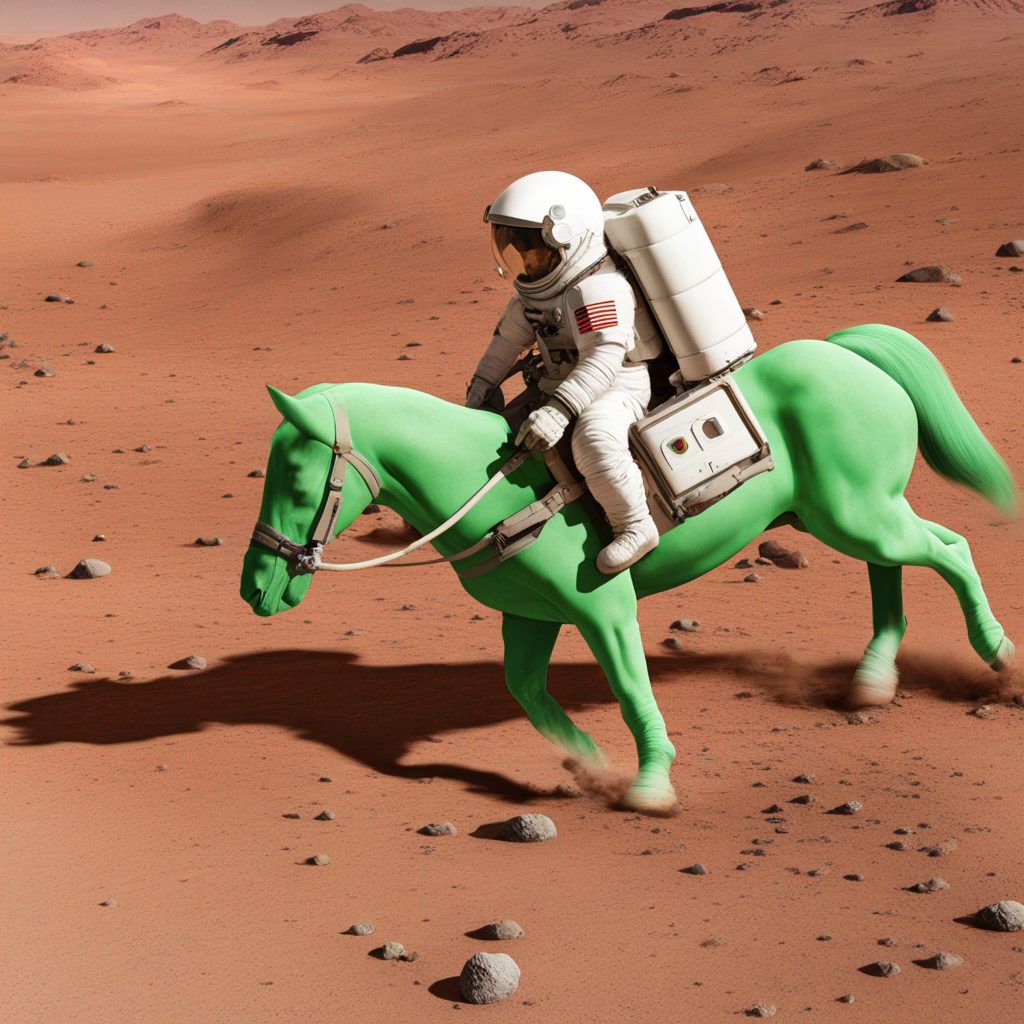
    "prompt": "a photo of an astronaut riding a horse on mars"
}''
{
    "run_id": "Gd2fLvweh1sHpdEQd4XnxYRvtGmghFxSg2rpbchK7wWAFeso9-sOVg==",
    "message": "Finished inference request with run_id: `Gd2fLvweh1sHpdEQd4XnxYRvtGmghFxSg2rpbchK7wWAFeso9-sOVg==`",
    "result": {
        "images": [
            <BASE64_ENCODED_STRING>
        ]
    },
    "status_code": 200,
    "run_time_ms": 4388.460874557495
}